Upgrading electrical outlets is an important home improvement project that enhances both safety and functionality. Outdated outlets present several risks, including electrical fires and shock hazards. Two-prong outlets, commonly found in older homes, lack grounding protection against electrical surges, which can damage electronics and appliances.
Modern three-prong outlets include grounding pins that provide this essential protection and are required for most contemporary devices. The growing use of technology in homes has increased electrical demands significantly. Smartphones, tablets, laptops, and smart home devices require reliable power sources.
Upgrading outlets to support higher wattage capacity and installing outlets with multiple ports or USB connections addresses the need for more charging stations throughout the home. This upgrade prevents circuit overloading, reduces fire risk, and ensures devices receive stable power, which extends their lifespan and improves overall performance.
Assessing Your Current Outlets and Devices
Before embarking on an outlet upgrade journey, it is essential to conduct a thorough assessment of your current outlets and devices. Begin by identifying the types of outlets present in your home. Are they two-prong or three-prong? Are they GFCI (Ground Fault Circuit Interrupter) outlets, which are crucial for areas exposed to moisture, such as kitchens and bathrooms? Understanding the existing infrastructure will help determine what upgrades are necessary. In addition to evaluating the outlets themselves, take stock of the devices you regularly use. Consider the power requirements of each device and whether your current outlets can support them. For example, high-powered appliances like microwaves or air fryers may require dedicated circuits to function safely. By mapping out your electrical needs, you can make informed decisions about which outlets to upgrade and how many additional outlets may be required to accommodate your lifestyle.
Choosing the Right Outlet Upgrades for Your Needs
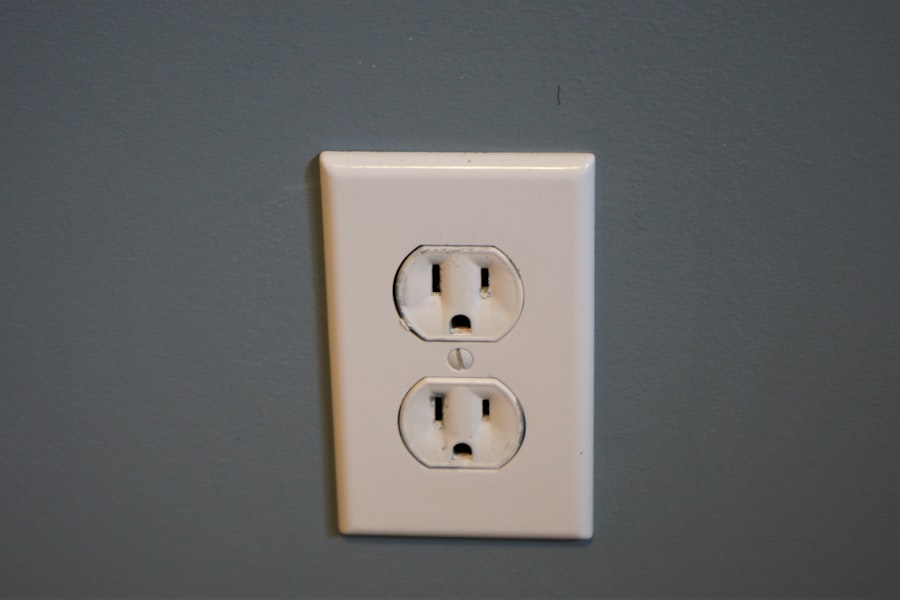
When it comes to selecting outlet upgrades, there are several options available that cater to different needs and preferences. Standard duplex outlets are the most common choice for general use, but homeowners may also consider specialized options such as USB outlets, which provide built-in charging ports for mobile devices. This eliminates the need for bulky adapters and frees up space for other plugs.
Another option worth considering is the installation of smart outlets. These innovative devices allow users to control their power usage remotely via smartphone apps or voice commands through smart home systems. Smart outlets can be programmed to turn on or off at specific times, helping to reduce energy consumption and enhance convenience.
Additionally, they often come equipped with surge protection features, providing an extra layer of safety for valuable electronics.
Deciding whether to hire a professional electrician or tackle outlet upgrades as a DIY project is a critical consideration. While some homeowners may feel confident in their ability to handle basic electrical work, it is essential to recognize the potential risks involved. Electrical installations must adhere to local codes and regulations, and improper installation can lead to serious safety hazards.
Hiring a licensed electrician ensures that the work is completed safely and efficiently. Professionals possess the knowledge and experience necessary to identify potential issues that may not be apparent to an untrained eye. They can also provide valuable insights into the best outlet options for your specific needs and ensure that all installations comply with current electrical codes.
On the other hand, if you choose to go the DIY route, it is vital to educate yourself thoroughly on electrical safety practices and local regulations before proceeding.
Ensuring Safety and Code Compliance
Safety should always be a top priority when upgrading electrical outlets. Familiarizing yourself with local building codes is essential, as these regulations dictate how electrical work should be performed to ensure safety and reliability. For instance, in many jurisdictions, GFCI outlets are required in areas where water exposure is likely, such as kitchens, bathrooms, and outdoor spaces.
In addition to adhering to code requirements, implementing safety measures during installation is crucial. Always turn off power at the circuit breaker before beginning any electrical work, and use insulated tools to minimize the risk of shock. If you encounter any issues or uncertainties during the installation process, do not hesitate to consult a professional electrician for guidance.
Prioritizing safety not only protects you but also ensures that your upgraded outlets function effectively for years to come.
Tips for Upgrading Outlets in Older Homes
| Metric | Details | Recommended Specification | Notes |
|---|---|---|---|
| Outlet Type | Standard 2-prong, 3-prong, or USB integrated | 15A or 20A 3-prong with USB ports | USB outlets support direct charging without adapters |
| Voltage | Typical household voltage | 120V (North America) | Ensure compatibility with local electrical standards |
| Amperage | Current rating of outlet circuit | 20 Amps preferred for high-power devices | Higher amperage supports fast charging and multiple devices |
| USB Output Power | Power delivered by USB ports | 5V, 2.4A per port minimum | Supports fast charging for smartphones and tablets |
| GFCI Protection | Ground Fault Circuit Interrupter for safety | Required in kitchens, bathrooms, and outdoor outlets | Prevents electrical shock in wet areas |
| AFCI Protection | Arc Fault Circuit Interrupter for fire prevention | Recommended for living areas and bedrooms | Detects electrical arcs and shuts off power |
| Outlet Spacing | Distance between outlets on a wall | 12 to 16 inches apart | Allows room for larger plugs and adapters |
| Installation Cost | Average cost to upgrade one outlet | Varies by region and electrician | Includes parts and labor |
| Compatibility | Support for modern device plugs and chargers | USB-C and USB-A ports recommended | Future-proofs outlet for evolving technology |
Upgrading outlets in older homes presents unique challenges that require careful consideration. Many older homes may have outdated wiring systems that are not equipped to handle modern electrical demands. Before upgrading outlets, it is advisable to have a qualified electrician inspect the existing wiring to determine its condition and capacity.
In some cases, it may be necessary to upgrade the entire electrical system to accommodate new outlets safely. Another common issue in older homes is the presence of non-grounded two-prong outlets. When upgrading these outlets, it is essential to install GFCI outlets as a safe alternative if grounding cannot be achieved through rewiring.
GFCI outlets provide protection against electrical shock by interrupting the circuit when they detect an imbalance in electrical flow. Additionally, consider using decorative outlet covers that match the home’s aesthetic while providing modern functionality.
Maximizing the Benefits of Upgraded Outlets
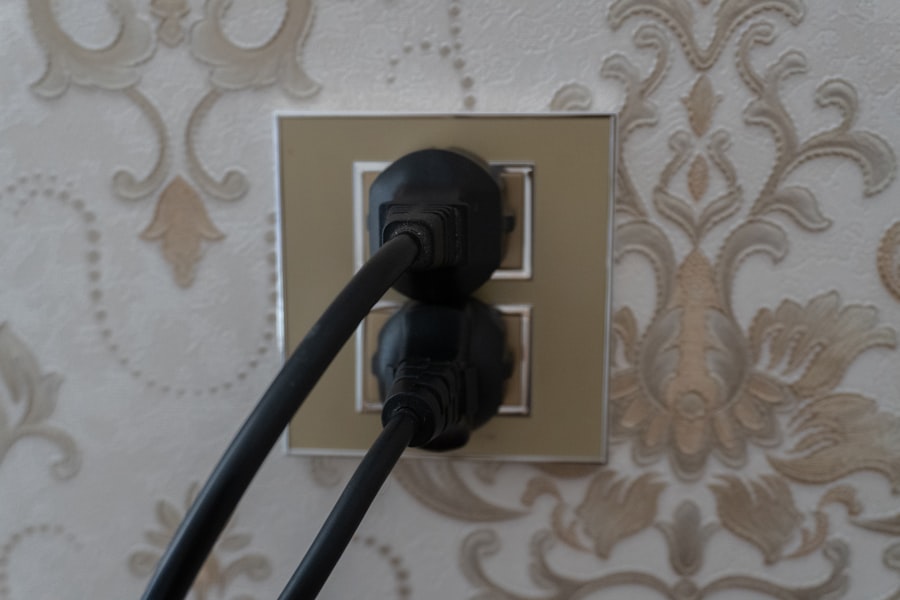
Once you have successfully upgraded your outlets, it is important to maximize their benefits through proper usage and maintenance. One effective strategy is to organize your devices and cords efficiently. Utilizing cord management solutions can help prevent tangling and damage while ensuring easy access to charging ports.
This organization not only enhances convenience but also contributes to a safer environment by reducing tripping hazards. Regular maintenance checks are also essential for ensuring that upgraded outlets continue to function optimally. Periodically inspect outlets for signs of wear or damage, such as discoloration or loose connections.
If you notice any issues, address them promptly by either tightening connections or consulting a professional electrician for repairs. By maintaining your upgraded outlets diligently, you can extend their lifespan and ensure they continue to meet your power needs effectively.
Future-Proofing Your Home with Smart Outlets
As technology continues to evolve at a rapid pace, future-proofing your home with smart outlets can provide significant advantages in terms of convenience and energy efficiency. Smart outlets not only allow for remote control of devices but also offer features such as energy monitoring, which enables homeowners to track their energy consumption patterns over time. This data can be invaluable in identifying opportunities for energy savings and optimizing usage.
Additionally, integrating smart outlets into a broader smart home ecosystem enhances overall functionality. For example, smart outlets can be programmed to work in conjunction with smart lighting systems or thermostats, creating a seamless user experience that enhances comfort and efficiency. As more devices become compatible with smart technology, investing in smart outlets today ensures that your home remains adaptable to future advancements in home automation and energy management systems.
FAQs
Why should I upgrade my electrical outlets for modern devices?
Upgrading electrical outlets ensures they can handle the power requirements of modern devices safely and efficiently. Older outlets may not support higher wattage or may lack features like USB ports, leading to potential hazards or inconvenience.
What types of outlets are best for modern devices?
Outlets with built-in USB ports, tamper-resistant receptacles, and those compliant with the latest electrical codes (such as AFCI or GFCI outlets) are ideal for modern devices. These provide safer and more versatile charging options.
Can I upgrade electrical outlets myself, or should I hire a professional?
While some homeowners with electrical experience may perform outlet upgrades, it is generally recommended to hire a licensed electrician to ensure safety and compliance with local electrical codes.
Do I need to turn off the power before upgrading outlets?
Yes, always turn off the power at the circuit breaker before working on electrical outlets to prevent electric shock or injury.
Are there specific outlets recommended for charging smartphones and tablets?
Yes, outlets with integrated USB charging ports are designed specifically for charging smartphones, tablets, and other USB-powered devices efficiently without needing separate adapters.
What safety features should I look for in modern electrical outlets?
Look for tamper-resistant (TR) outlets to prevent foreign objects from being inserted, ground-fault circuit interrupter (GFCI) outlets for wet areas, and arc-fault circuit interrupter (AFCI) outlets to reduce fire risks.
Will upgrading outlets increase my home’s electrical capacity?
Upgrading outlets alone does not increase overall electrical capacity; it improves safety and compatibility. To increase capacity, you may need to upgrade your electrical panel or circuits.
How much does it typically cost to upgrade electrical outlets?
Costs vary depending on the type of outlet and labor rates but generally range from $50 to $150 per outlet when installed by a professional.
Can upgraded outlets help reduce energy consumption?
Some modern outlets with smart features can help monitor and reduce energy use, but standard upgraded outlets primarily improve safety and convenience rather than energy efficiency.
Are there any building codes or regulations to consider when upgrading outlets?
Yes, electrical upgrades must comply with the National Electrical Code (NEC) and local regulations, which may require specific outlet types or installation methods depending on the location and use.