Web accessibility is the practice of designing websites so that people with disabilities can use them effectively. This includes accommodating visual impairments, hearing loss, cognitive disabilities, and motor impairments. Web accessibility ensures that all users, regardless of ability level, can perceive, understand, navigate, and interact with web content.
The World Wide Web Consortium (W3C) has developed the Web Content Accessibility Guidelines (WCAG) as a standard framework for accessible web design. These guidelines are based on four core principles: perceivable, operable, understandable, and robust. Web accessibility serves both legal and ethical purposes.
Inaccessible websites contribute to digital inequality and exclude a substantial portion of the population from online participation. The World Health Organization reports that over one billion people worldwide have some form of disability. This figure demonstrates why inclusive digital design is essential.
Organizations that implement accessibility standards can improve the user experience for all visitors, strengthen their reputation, and expand their potential audience.
Designing for Accessibility
Designing for accessibility involves integrating inclusive practices into the design process from the outset. This means considering the diverse needs of users with disabilities during the initial stages of development rather than as an afterthought. One effective approach is to adopt a user-centered design methodology that actively involves individuals with disabilities in the design process.
By gathering feedback from users who rely on assistive technologies, designers can gain valuable insights into how to create more accessible interfaces. Color contrast is a critical aspect of accessible design. For example, text that is too light against a light background can be nearly impossible for individuals with visual impairments to read.
The WCAG recommends a minimum contrast ratio of 4.5:1 for normal text and 3:1 for large text. Additionally, designers should avoid using color as the sole means of conveying information. For instance, if a form field is marked as required only by a red asterisk, users who are colorblind may miss this important cue.
Instead, using text labels alongside color indicators ensures that all users can understand the information being presented.
Implementing Accessibility Features
Once the design phase is complete, the next step is to implement accessibility features effectively. This involves coding practices that adhere to established guidelines and standards. For instance, using semantic HTML elements such as headings (h1, h2), lists (ul, ol), and landmarks (nav, main) helps screen readers interpret the structure of a webpage accurately.
Proper use of these elements not only enhances accessibility but also improves search engine optimization (SEO), as search engines favor well-structured content. Another essential feature is providing alt text for images. Alt text serves as a textual alternative for images and is crucial for users who rely on screen readers.
For example, if an image depicts a group of people at a conference, an appropriate alt text might read: “A diverse group of five individuals engaged in discussion at a technology conference.” This description provides context and meaning to users who cannot see the image. Additionally, implementing ARIA (Accessible Rich Internet Applications) roles and properties can enhance the accessibility of dynamic content and complex user interface components.
Testing for Accessibility
Testing for accessibility is a vital step in ensuring that web content meets established standards and provides an inclusive experience for all users. Automated testing tools can help identify common accessibility issues quickly; however, they should not be relied upon exclusively. Tools like Axe, WAVE, and Lighthouse can scan web pages for compliance with WCAG guidelines and highlight potential problems such as missing alt text or insufficient color contrast.
Manual testing is equally important and involves real users interacting with the website using various assistive technologies such as screen readers, keyboard navigation, and voice recognition software. This hands-on approach allows testers to uncover issues that automated tools may miss. For instance, a screen reader user may encounter difficulties navigating through a complex navigation menu that appears visually clear but lacks proper semantic structure.
Engaging users with disabilities in testing not only helps identify barriers but also fosters a deeper understanding of their unique experiences and needs.
Providing Alternative Content
| Metric | Description | Recommended Value/Standard | Measurement Tool |
|---|---|---|---|
| Contrast Ratio | Ratio of text color to background color for readability | At least 4.5:1 for normal text, 3:1 for large text | WebAIM Contrast Checker, Axe |
| Keyboard Accessibility | Ability to navigate all interactive elements using keyboard only | 100% keyboard operable | Manual testing, Axe, WAVE |
| ARIA Landmarks Usage | Use of ARIA roles to define page regions for screen readers | Appropriate and consistent use of landmarks | WAVE, Axe |
| Alt Text for Images | Descriptive alternative text for non-text content | All meaningful images have descriptive alt text | Manual review, Axe |
| Heading Structure | Proper use of heading tags (H1-H6) for content hierarchy | Logical and sequential heading order | WAVE, Axe |
| Form Labeling | All form inputs have associated labels | 100% labeled form elements | Manual testing, Axe |
| Time-based Media Captions | Captions provided for videos and audio content | Captions available for all multimedia | Manual review |
| Page Load Time | Speed of page loading affecting accessibility | Under 3 seconds | Google PageSpeed Insights, Lighthouse |
| Screen Reader Compatibility | Content correctly read and navigated by screen readers | Full compatibility with major screen readers | NVDA, JAWS, VoiceOver testing |
Providing alternative content is essential for ensuring that all users can access information regardless of their abilities or the devices they use. This includes offering text alternatives for non-text content such as images, videos, and audio files. For instance, when embedding videos on a website, it is crucial to include captions and transcripts.
Captions benefit not only individuals who are deaf or hard of hearing but also those who may be in sound-sensitive environments or prefer to consume content without audio. In addition to captions, providing sign language interpretation can further enhance accessibility for deaf users. For example, if an organization produces educational videos, including a sign language interpreter alongside the main content ensures that they cater to a broader audience.
Similarly, when presenting complex data through charts or graphs, providing detailed descriptions or data tables allows users with visual impairments to understand the information being conveyed.
Ensuring Keyboard Accessibility
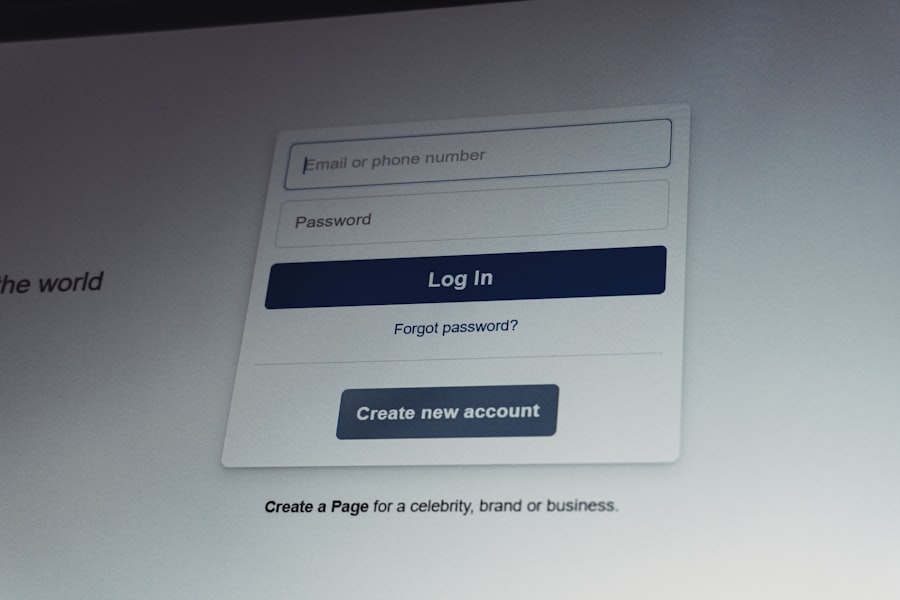
Keyboard accessibility is a fundamental aspect of web accessibility that often goes overlooked. Many users with motor disabilities rely on keyboard navigation rather than a mouse to interact with web content. Therefore, it is crucial to ensure that all interactive elements—such as links, buttons, and form fields—are accessible via keyboard alone.
This can be achieved by following best practices such as ensuring that all focusable elements are reachable using the Tab key and that they provide clear visual feedback when focused. Moreover, implementing logical tab order enhances the user experience significantly. Users should be able to navigate through interactive elements in a predictable sequence that aligns with the visual layout of the page.
For instance, if a user encounters a form on a webpage, they should be able to tab through each field in the order they appear visually rather than jumping around randomly. Additionally, providing keyboard shortcuts for frequently used actions can further streamline navigation for users who rely on keyboard input.
Making Forms and Controls Accessible
Forms are integral components of many websites; however, they can pose significant challenges for users with disabilities if not designed thoughtfully. To make forms accessible, it is essential to use clear and descriptive labels for each input field. Labels should be programmatically associated with their corresponding fields using the “for” attribute in HTML.
This association allows screen readers to announce the label when users focus on the input field. Error messages must also be accessible and informative. When a user submits a form with missing or incorrect information, it is crucial to provide clear feedback about what went wrong and how to correct it.
For example, instead of simply stating “Error,” a more descriptive message like “Please enter a valid email address” guides users toward resolving the issue effectively. Additionally, consider implementing features such as auto-fill and auto-complete to enhance usability for all users while ensuring that these features do not compromise security or privacy.
Creating a Culture of Accessibility
Creating a culture of accessibility within an organization requires commitment from leadership and collaboration across all departments involved in web development and design. It begins with education and awareness; team members must understand the importance of accessibility and its impact on users with disabilities. Training sessions can help staff recognize common accessibility barriers and learn best practices for creating inclusive digital experiences.
Moreover, fostering an environment where accessibility is prioritized encourages innovation and creativity in problem-solving. Organizations should establish clear policies regarding accessibility compliance and integrate these policies into their project management processes. Regular audits and updates should be conducted to ensure ongoing adherence to accessibility standards as technology evolves.
By embedding accessibility into the organizational culture, companies not only comply with legal requirements but also demonstrate their commitment to inclusivity and social responsibility. In conclusion, web accessibility is an essential consideration in today’s digital landscape. By understanding its principles and implementing best practices throughout the design and development process, organizations can create inclusive experiences that benefit all users while fostering a culture of accessibility within their teams.
FAQs
What is web accessibility?
Web accessibility refers to the practice of designing and developing websites and web applications that can be used by everyone, including people with disabilities. This includes ensuring that content is perceivable, operable, understandable, and robust for all users.
Why is optimizing web accessibility important?
Optimizing web accessibility ensures that all users, regardless of their abilities or disabilities, can access and interact with web content effectively. It promotes inclusivity, improves user experience, and often complies with legal requirements and standards.
What are some common disabilities considered in web accessibility?
Common disabilities include visual impairments (such as blindness or color blindness), hearing impairments, motor disabilities, cognitive disabilities, and neurological conditions. Web accessibility aims to accommodate these diverse needs.
What guidelines should be followed to optimize web accessibility?
The Web Content Accessibility Guidelines (WCAG) developed by the World Wide Web Consortium (W3C) are the primary standards for web accessibility. They provide detailed recommendations for making web content more accessible.
How can I test if my website is accessible?
You can use automated accessibility testing tools, manual testing with screen readers, keyboard navigation checks, and user testing with people who have disabilities to evaluate your website’s accessibility.
What are some key features to include for better web accessibility?
Key features include providing alternative text for images, ensuring keyboard navigability, using sufficient color contrast, offering captions and transcripts for multimedia, and structuring content with proper headings and labels.
Does optimizing web accessibility benefit all users?
Yes, accessible design often improves usability for everyone, including users on mobile devices, older adults, and people with temporary impairments or situational limitations.
Are there legal requirements for web accessibility?
Many countries have laws and regulations requiring web accessibility, such as the Americans with Disabilities Act (ADA) in the United States and the Equality Act in the UK. Compliance helps avoid legal risks and promotes equal access.
Can web accessibility be integrated into existing websites?
Yes, web accessibility can be improved on existing websites through audits, updates to code and content, and ongoing maintenance to meet accessibility standards.
Where can I learn more about web accessibility?
Resources include the W3C Web Accessibility Initiative (WAI) website, online courses, accessibility blogs, and organizations dedicated to digital inclusion and disability rights.